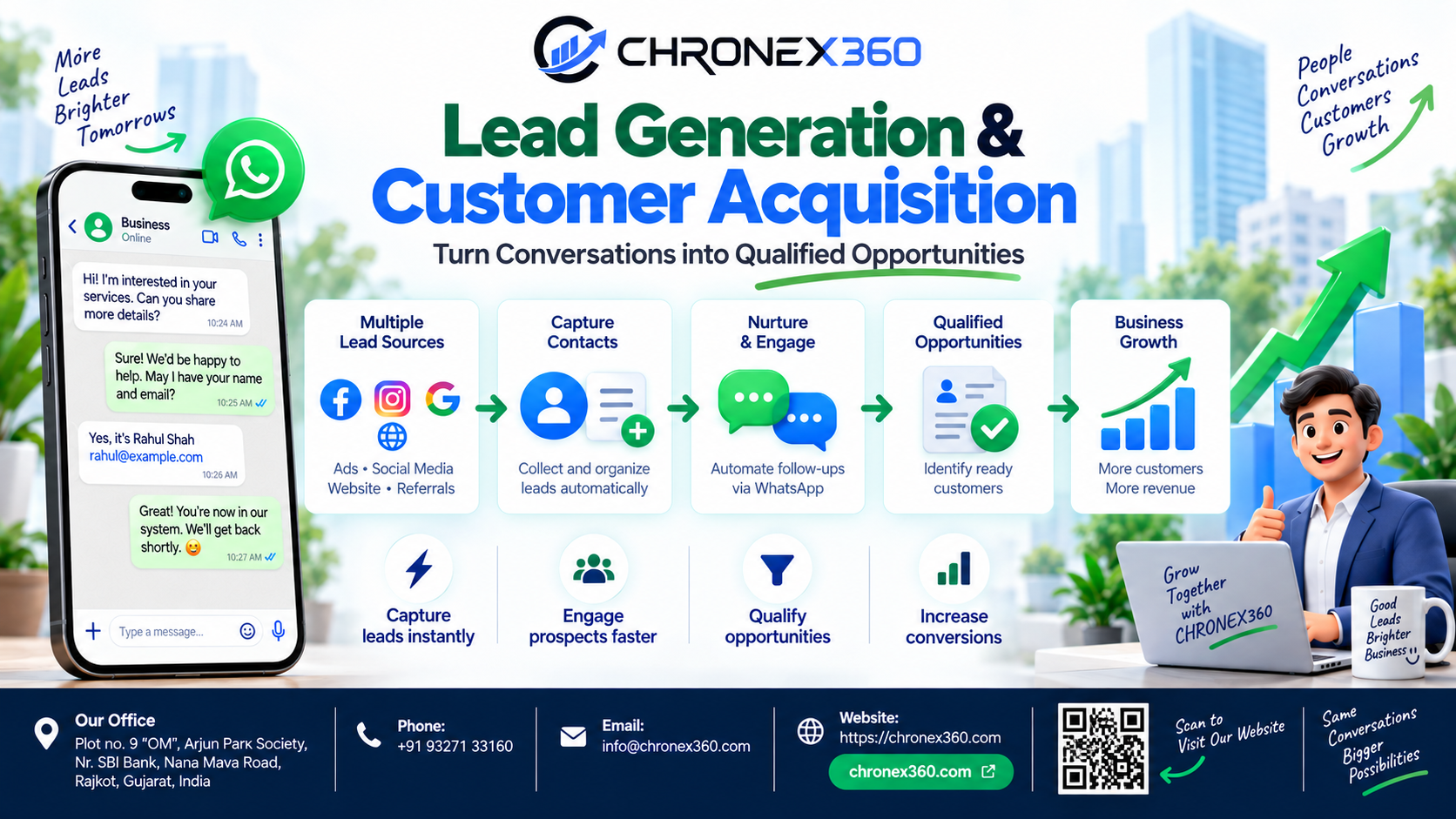
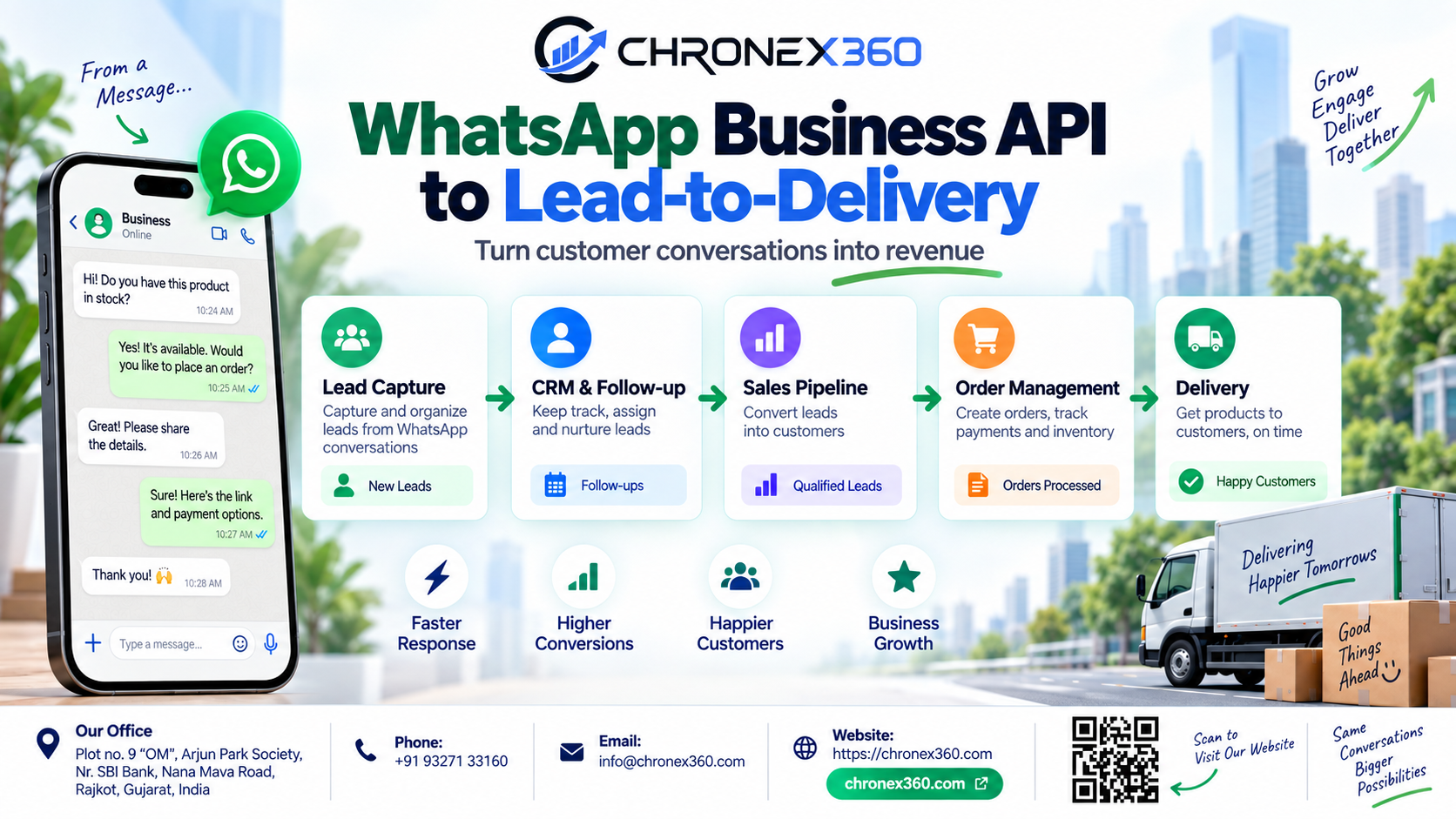
Content about managing the complete customer journey from first enquiry through qualification, sales, order, payment, fulfilment and delivery in one connected workflow.
Introduction
For many businesses, WhatsApp is no longer only a messaging application. It is where customers ask questions, request prices, compare products, book appointments, request quotations, place orders and ask for delivery updates.
That creates a major opportunity—but also a major operational problem.
A business can receive hundreds or thousands of WhatsApp enquiries, but if those conversations are handled only as chat messages, the company still does not have a proper sales process. A message may be answered, but there may be no lead owner. A customer may ask for a quotation, but no follow-up may be scheduled. A salesperson may share product images, but management may not know whether the conversation converted into an order. After the sale, operations and finance may work in completely different systems.
This is the gap Chronex360 is designed to solve.
Chronex360 connects WhatsApp Business API with lead management, customer conversations, automated qualification, employee assignment, tasks, schedules, catalogues, orders, invoicing, payments and reporting. Instead of treating WhatsApp as a separate inbox, the conversation becomes the beginning of a structured Lead-to-Delivery journey.
The model is simple:
WhatsApp Enquiry → Lead Capture → Qualification → Assignment → Follow-Up → Product or Service Selection → Order → Payment → Fulfilment / Delivery → Retention → Revenue Reporting
Problem Statement: WhatsApp Conversations Are Growing, but the Sales Process Is Still Manual
Many companies already use WhatsApp heavily. The problem is not adoption. The problem is what happens after the customer sends the first message.
Customers may contact a business from a Click-to-WhatsApp campaign, a QR code, a website button, a product page, a referral link or the business phone number. They expect a quick response because messaging feels immediate.
But inside the company, the process often looks very different.
A team member opens the message manually. Another employee may answer the same customer later. Customer details may be copied into Excel. Follow-up reminders may stay in personal calendars. Product images may be sent from individual phones. The quotation may be created elsewhere. The order may be entered manually into another application. Payment may be tracked by finance. Delivery may be handled by operations.
The customer sees one conversation. The business sees many disconnected systems.
That fragmentation creates several recurring problems.
1. WhatsApp enquiries are not automatically treated as sales opportunities
A customer can send a serious buying enquiry, but if the message remains only inside an inbox, the business may never convert it into a structured lead.
Without lead capture, management cannot reliably answer:
Who is the customer?
Where did the enquiry come from?
Who owns the lead?
What does the customer want?
What is the current sales stage?
When is the next follow-up?
Did the enquiry become an order?
How much revenue did it generate?
2. Response time depends on who is available
When WhatsApp enquiries are managed manually, response quality often depends on individual employees.
Some leads may receive an immediate reply. Others may wait. High-value enquiries can be mixed with support questions and routine requests. If ownership is unclear, two employees may answer the same lead—or nobody may answer it.
3. Qualification is repetitive
Salespeople often ask the same questions repeatedly:
Which product are you interested in?
What quantity do you need?
What is your location?
What is your budget?
When do you need the product or service?
Would you like a catalogue, quotation, demo or appointment?
For high-volume WhatsApp businesses, repeating these questions manually consumes valuable sales time.
4. Follow-ups are easy to forget
A WhatsApp prospect may say, “Send me the details. I will check and come back tomorrow.”
The salesperson sends the information—but tomorrow arrives and nobody follows up.
The business did not lose the lead because the customer rejected the offer. It lost the lead because the next action was never managed.
5. Product sharing is unstructured
Many businesses still send products one image at a time through WhatsApp.
This creates inconsistent customer experiences, outdated pricing risks and little visibility into which products actually attract interest.
6. WhatsApp activity is disconnected from orders and revenue
A business may know that WhatsApp is busy, but not whether it is profitable.
If conversations, leads, orders and payments are stored separately, management cannot easily see:
How many WhatsApp leads converted?
Which campaign generated the order?
Which salesperson closed the lead?
What was the order value?
How long did conversion take?
Which products were sold?
Which customers purchased again?
The Chronex360 Solution: Turn WhatsApp Business API into a Complete Lead-to-Delivery Workflow
Chronex360 treats WhatsApp Business API as a customer acquisition and sales channel—not just a messaging channel.
The objective is to make every meaningful WhatsApp conversation part of a measurable business process.
Stage 1: Capture WhatsApp Enquiries as Leads
The process begins when a customer starts a WhatsApp conversation with the business.
Chronex360 can connect WhatsApp Business API conversations with the CRM lead workflow so the enquiry can become part of the customer record instead of remaining an isolated message.
The lead can carry important business context such as:
Lead source
Campaign or channel context
Customer name and phone number
Assigned employee
Lead status
Tags
Conversation history
Notes
Tasks
Schedules and follow-ups
This creates a single starting point for sales activity.
Example:
A customer clicks a Click-to-WhatsApp advertisement for office furniture and sends, “I need 25 office chairs. Please share price.”
Instead of remaining only as a WhatsApp chat, Chronex360 can place that enquiry into the lead-management workflow so the sales team has ownership, context and a next action.
Stage 2: Respond Immediately and Qualify the Lead
Speed matters in conversational sales.
Chronex360 can use WhatsApp automation and chatflows to handle the first stage of a conversation before a salesperson takes over.
A qualification flow can collect information such as:
Product or service required
Quantity
Location
Budget range
Required date
Business or personal requirement
Appointment preference
Quotation request
Catalogue request
The automation is not meant to replace the salesperson in every conversation. Its role is to collect basic information quickly, answer common questions and prepare the lead for human follow-up.
A better workflow is:
Customer Message → Instant Response → Qualification → Qualified Lead → Human Handoff
This reduces repetitive work and improves consistency.
Stage 3: Assign Every WhatsApp Lead to the Right Employee
Once an enquiry becomes a lead, responsibility must be clear.
Chronex360 supports lead assignment, including manual assignment and round-robin assignment based on lead source.
This helps businesses distribute WhatsApp enquiries across their sales team while maintaining clear ownership.
A lead should never be “someone’s WhatsApp message.”
It should be a business opportunity with a responsible owner.
Managers can then understand who received the lead, when ownership changed and whether follow-up happened.
Stage 4: Keep WhatsApp at the Center of the Customer Conversation
After qualification, the customer may continue asking questions on WhatsApp.
Chronex360 keeps the conversation connected to the lead so employees can understand the customer context while working on the opportunity.
The wider conversation model can also include Instagram DM, Facebook Messenger, SMS and email, allowing businesses to keep multiple customer touchpoints closer to the same CRM history.
For example, a customer may first see an Instagram post, move to WhatsApp for pricing and later request an invoice by email.
The customer journey is still one journey even though the communication channel changes.
Stage 5: Use Approved WhatsApp Templates for Structured Follow-Up
The biggest value of WhatsApp Business API appears when messaging becomes part of an organized workflow.
Businesses can use approved WhatsApp templates for appropriate outbound communication such as follow-ups, reminders, status updates and other permitted customer communications, subject to Meta rules and customer opt-in requirements.
Chronex360 can support the operational side of that workflow by keeping the customer, lead, conversation, status and next action connected.
A sales team can therefore move from random manual follow-up to a structured process:
Lead Qualified → Follow-Up Due → WhatsApp Message → Customer Response → Next Sales Stage
Stage 6: Never Lose a Follow-Up
Chronex360 supports tasks, schedules, reminders and follow-up activities connected to leads.
This is especially important for WhatsApp sales because the conversation can feel informal even when the commercial opportunity is valuable.
A customer may say:
“Call me next Monday.”
“Send the proposal tomorrow.”
“Contact me after the festival.”
“Check with me when the product is back in stock.”
Those instructions should become structured activities, not employee memory.
With Chronex360, the salesperson can create the next task or schedule while maintaining the WhatsApp conversation in the customer context.
Stage 7: Share the Right Products or Services
For product-led businesses, WhatsApp conversations frequently move from enquiry to product discovery.
Chronex360 includes product and catalogue capabilities that can support:
Categories and nested categories
Product details
Images and videos
Dynamic product attributes
GST / HSN / unit information
Public catalogue links
Category-specific share links
Curated product selections
Customer product feedback and enquiries
Instead of sending random screenshots and individual images, the salesperson can share a structured catalogue or relevant selection based on what the lead requested.
For service companies, the same approach can be used for service packages, plans or standardized offerings.
Stage 8: Convert the WhatsApp Lead into an Order
A CRM should not stop when a salesperson marks the lead as won.
Chronex360 extends the process into order management.
Once the WhatsApp conversation results in a purchase decision, an order can capture information such as:
Customer
Products or services
Quantity
Discount
Tax
Shipping information
Order status
Salesperson attribution
Campaign attribution
This keeps the commercial transaction connected to the original lead.
The business can now trace:
WhatsApp Enquiry → Salesperson → Order → Revenue
Stage 9: Invoice and Collect Payment
After the order is confirmed, Chronex360 can continue the workflow with invoicing and supported payment integrations.
Its documented capabilities include GST-oriented order information, PDF invoices, proforma communication and payment integrations such as Razorpay and Stripe.
The customer can therefore move from WhatsApp enquiry to order and payment while the company avoids repeatedly recreating the same customer and order information across disconnected systems.
Stage 10: Continue the WhatsApp Conversation After the Sale
The WhatsApp journey does not need to end when the order is created.
Businesses can use the customer relationship for appropriate post-sale communication such as order-related updates, service coordination, feedback requests, repeat purchase opportunities and future customer engagement—subject to message category, opt-in and applicable communication rules.
The important point is that the post-sale interaction remains linked to the customer history.
Stage 11: Connect Delivery Back to the Original Lead
The promise made in a WhatsApp conversation eventually needs to become a delivered product or completed service.
Operations needs visibility into what the customer ordered, payment status, shipping or fulfilment information and the current order stage.
Chronex360 can serve as the commercial system of record connecting the customer, original lead, order, payment information and order status.
The exact physical logistics process may depend on the business and its delivery partners, but the customer-facing commercial journey remains connected.
That creates the complete path:
WhatsApp Lead → Sales → Order → Payment → Delivery
Stage 12: Measure WhatsApp Revenue, Not Just Message Volume
A WhatsApp inbox can tell a business that people are messaging.
Chronex360 is designed to help answer the more important questions:
How many WhatsApp leads were created?
How quickly were they answered?
How many were qualified?
How many follow-ups were completed?
Which employee handled them?
How many became customers?
Which campaigns generated them?
What orders did they create?
What revenue did they generate?
Chronex360 reporting capabilities can support lead analytics, source analysis, assignee performance, response-time metrics, follow-up adherence, conversion, campaign performance, order status and revenue reporting.
This changes WhatsApp from a communication tool into a measurable sales channel.
Example: Furniture Business Using WhatsApp Business API with Chronex360
Consider a furniture company running Click-to-WhatsApp campaigns.
Step 1: A customer sees an advertisement for office chairs and starts a WhatsApp conversation.
Step 2: Chronex360 connects the enquiry to a new lead and records the source.
Step 3: A WhatsApp qualification flow asks quantity, location, budget and required delivery date.
Step 4: The lead is assigned to a salesperson.
Step 5: The salesperson reviews the conversation and shares a curated product catalogue.
Step 6: The customer asks for a quotation for 25 chairs.
Step 7: The salesperson creates a follow-up task so the opportunity is not forgotten.
Step 8: The customer confirms the selected product.
Step 9: The opportunity becomes an order with quantity, discount, tax and shipping information.
Step 10: Invoice or payment information is provided through the supported workflow.
Step 11: The order moves through fulfilment and delivery.
Step 12: Management can trace the order and revenue back to the WhatsApp lead and original source.
Step 13: After delivery, the existing customer record can support future service, repeat purchase or re-engagement activity.
One WhatsApp conversation becomes one measurable customer journey.
Where Chronex360 Adds Value Beyond a Shared WhatsApp Inbox
A shared inbox is useful, but it solves only part of the problem.
A business still needs to manage what happens after the message arrives.
Chronex360 adds the commercial workflow around the conversation:
Lead capture
Lead status
Lead source
Lead assignment
Qualification
Conversation history
Tasks
Schedules
Follow-up
Product catalogue
Orders
Invoices
Payments
Reporting
Revenue attribution
Customer history
That is the difference between simply answering WhatsApp messages and running a WhatsApp-driven sales operation.
Industries That Can Use WhatsApp Business API with Chronex360
This model can work across many industries where customers prefer conversational engagement, including retail and ecommerce, wholesale and distribution, furniture and interiors, automotive, real estate, education and training, travel and hospitality, clinics and healthcare business enquiries, beauty and wellness, professional services, IT and SaaS, financial-service lead management, home services, equipment sales, manufacturing enquiries and B2B services.
The exact sales process can differ, but the core workflow remains similar:
Customer asks → Business responds → Lead is qualified → Owner is assigned → Follow-up happens → Offer is shared → Order is created → Revenue is measured
Key KPIs for a WhatsApp Business API Sales Workflow
Businesses should measure more than total message count.
Useful KPIs include:
WhatsApp leads by source
First-response time
Qualification rate
Assignment time
Agent workload
Follow-up completion rate
Template delivery and reply rate where applicable
Lead-to-opportunity conversion
Opportunity-to-order conversion
Average sales cycle
Order value
Revenue from WhatsApp leads
Revenue by campaign
Revenue by salesperson
Repeat customer rate
Opt-out and blocked rate
These metrics help management understand where the WhatsApp sales process is working and where opportunities are leaking.
Why Chronex360 for WhatsApp Business API
Chronex360 is designed for businesses that want WhatsApp to be connected to the rest of the customer lifecycle.
Instead of operating WhatsApp, CRM, follow-up, catalogue, orders and reporting as separate systems, Chronex360 brings these activities into a connected workflow.
WhatsApp lead captured.
Customer qualified.
Lead assigned.
Conversation managed.
Follow-up scheduled.
Catalogue shared.
Order created.
Payment tracked.
Delivery progressed.
Revenue measured.
Customer retained.
That is the Chronex360 WhatsApp Lead-to-Delivery model.
Conclusion
WhatsApp Business API creates an important customer-engagement channel, but messaging alone does not create a scalable sales process.
Businesses need to know what happened after the message arrived.
Was the lead captured?
Was it assigned?
Was the customer qualified?
Did the salesperson follow up?
What product was offered?
Was an order created?
Was payment received?
Was the customer served successfully?
How much revenue came from that WhatsApp conversation?
Chronex360 connects these questions into one operational workflow.
By combining WhatsApp Business API with lead management, automated qualification, employee assignment, CRM history, tasks, follow-ups, product catalogues, orders, invoicing, supported payments and analytics, Chronex360 helps businesses move from simply chatting with customers to managing a complete Lead-to-Delivery process.
Call to Action
Want to turn WhatsApp conversations into a structured sales and delivery process?
Use Chronex360 to connect WhatsApp Business API with lead capture, qualification, assignment, follow-up, catalogues, orders, payments, delivery visibility and revenue reporting.
Build a WhatsApp sales process where every serious enquiry has an owner, every opportunity has a next action and every converted conversation has a measurable path to revenue.
.